Home Map
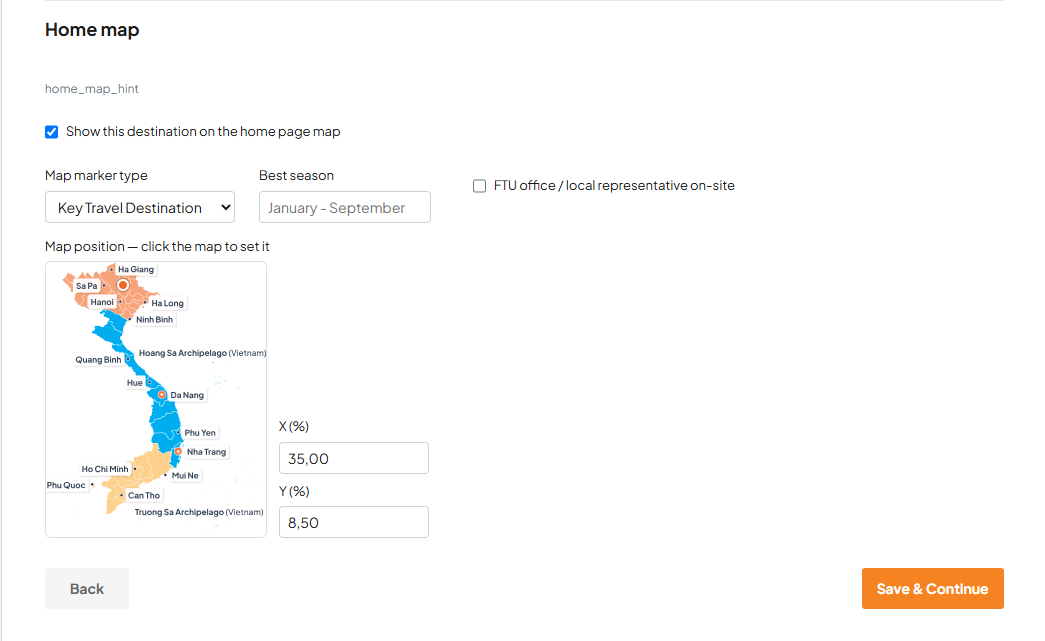
The Home map module helps configure and manage the display of travel destinations on the homepage map.
Key features include: toggling destination visibility, categorizing map marker types, setting the best travel season (Best season), marking on-site offices/local representatives, and defining pin coordinates X (%) and Y (%) on the map.
To display a new destination on the map, follow these steps:
Step 1: On the Cities list page, select the destination you want to display to open its overview page.

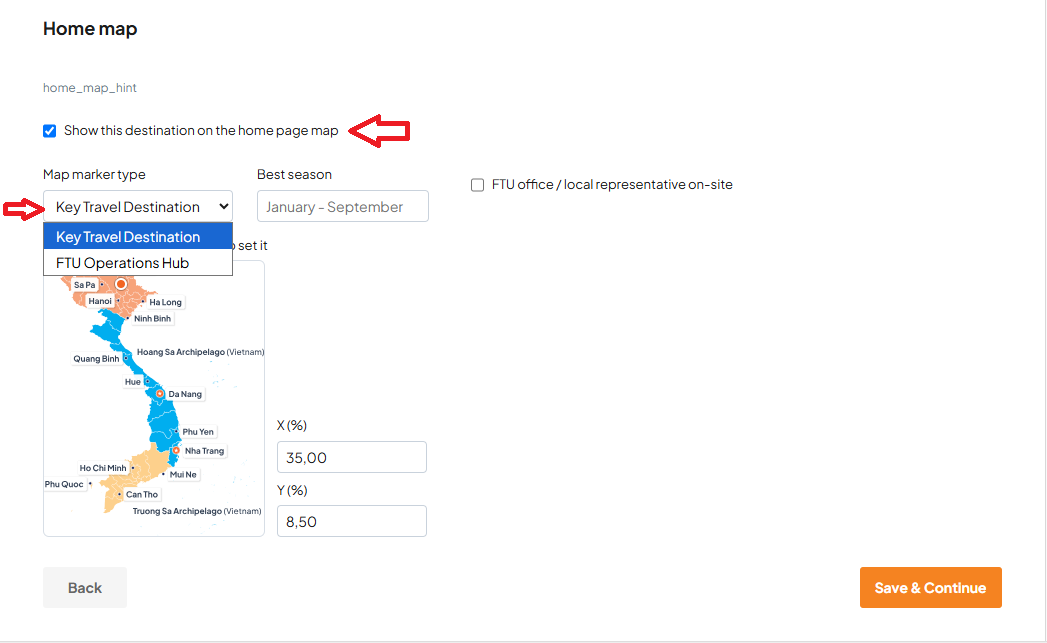
Step 2: In the Home map module, check the "Show this destination on the home page map" box and select the "Map marker type".
If the destination is categorized as a local representative office, check the "FTU office / local representative on-site" box.
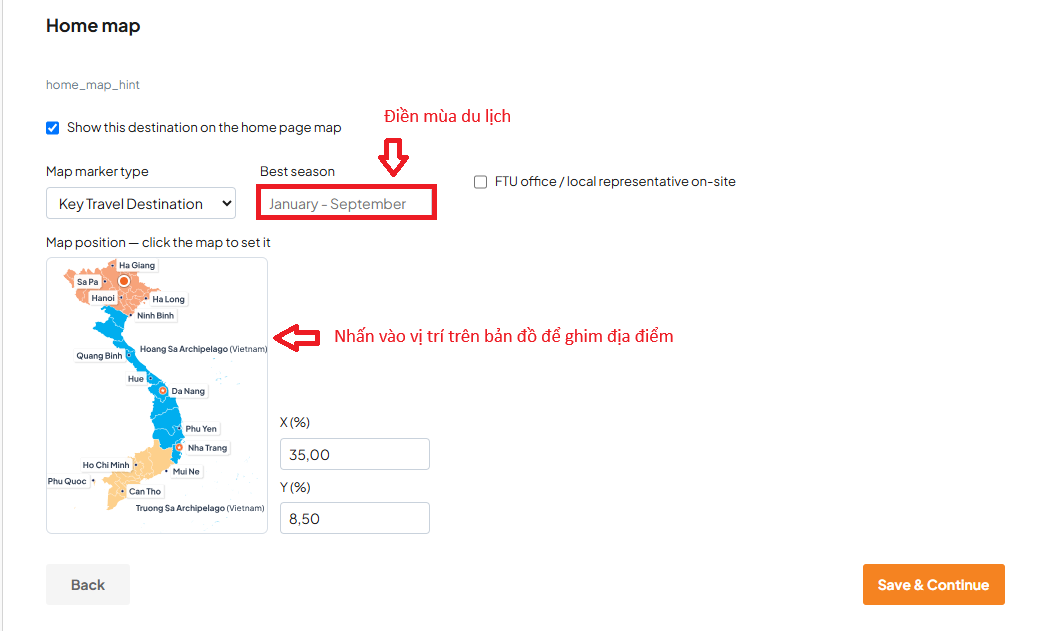
Step 3: Enter the travel season in the "Best season" field, then click directly on the map to set the pin position for the destination.
Step 4: Click "Save & Continue" to save your changes.